
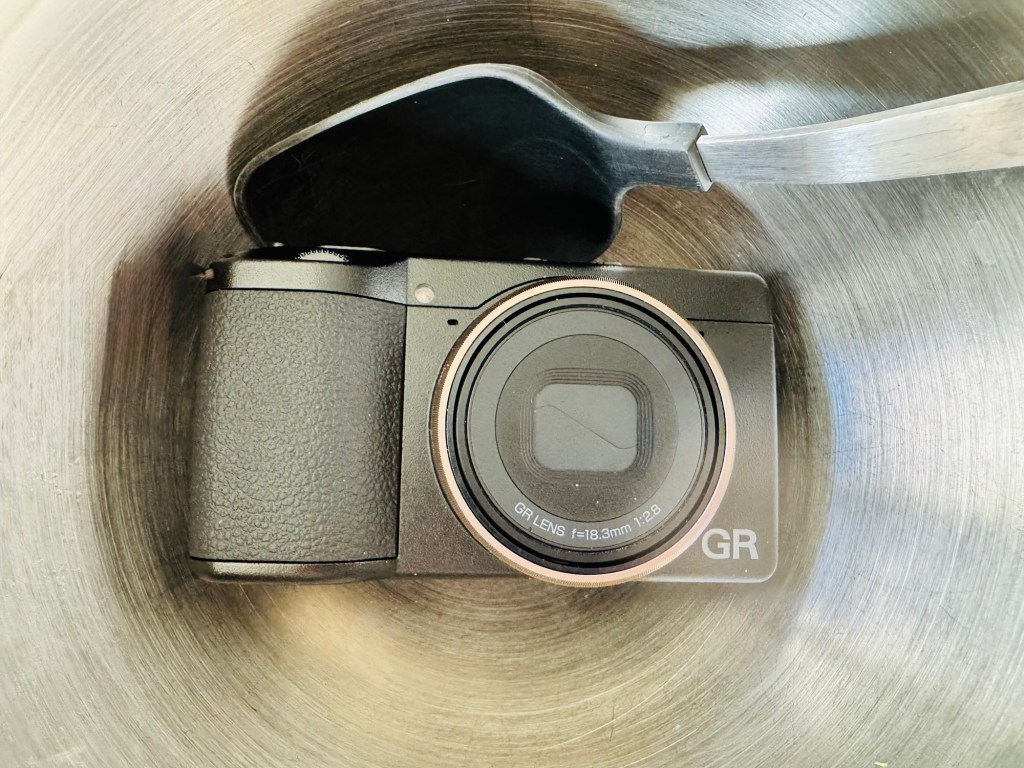
Hello and welcome!
Today, I wanted to explore how to add recipes to the RICOH GR IV camera. Just like baking a cake, you gather your ingredients first—and hopefully end up with something wonderful… or maybe not, lol.
I started by asking myself a few questions. You’ll find these questions below. Later, I’ll walk you through how to add recipes to your RICOH GR IV.
What is a camera recipe?
A camera recipe is also known as a film simulation recipe. It is a custom set of in-camera settings. These settings give your photos a specific look. Fujifilm cameras are especially well-known for this. They are probably the leaders in the space, at least based on what I found online.
The purpose of these recipes is simple:
They aim to reduce editing time. They also create a stylized photo straight out of the camera (SOOC JPEG). And if you haven’t heard of SOOC-JPEG (Straight Out Of Camera JPEG), now you have.
MPB has a good article called How to: Install and Use Fujifilm Recipes | MPB.
Why all the hype around recipes?
Most of the excitement comes from the Fujifilm community. Many YouTube’s, bloggers, and photographers share their recipes, and entire apps—like Fujifilm Weekly—exist just for them.
Then you have the people who frown at JPEGs and swear by RAW.
My advice?
Do what works for you. Just go enjoy your camera.
What cameras use recipes?
Almost all digital cameras can use some form of custom settings or “recipes”: Nikon, Sony, Canon, Olympus, Panasonic, etc.
But Fujifilm is the one that built a culture and community around them. That’s why you hear the hype.
Can I use Fujifilm recipes on my Ricoh?
No.
You can’t directly load Fujifilm recipes onto a Ricoh GR because the systems are completely different—color science, film simulations, effects, sliders, and processing engines.
| Fujifilm Settings (Film Simulations) | Ricoh GR Settings (Image Control) |
| Film Simulation Grain Effect Color Chrome Effect Color Chrome FX Blue White Balance Dynamic Range Highlight Shadow Color Sharpness Noise Reduction Clarity Exposure Compensation ISO | EFFECT (e.g., Positive Film) SATURATION HUE HIGH/LOW KEY CONTRAST CONTRAST (HIGHLIGHT) CONTRAST (SHADOW) SHARPNESS TONING SHADING CLARITY HIGHLIGHT CORRECTION SHADOW CORRECTION PERIPHERAL ILLUM. CORRECTION NOISE REDUCTION WHITE BALANCE WB COMP. A/B WB COMP. G/M ISO EXPOSURE COMPENSATION |
You can see that the two systems are very different and not easy to match. The Ricoh GR offers more fine-tuning of tonal adjustments, while Fujifilm provides more dedicated film-style “looks.”
Do all Ricoh GR cameras support recipes?
Yes—these models all allow custom image settings/recipes:
- Ricoh GR
- Ricoh GR II
- Ricoh GR III
- Ricoh GR IIIx
- Ricoh GR IV
What is “Ricoh Digital?”
On eBay you can see older Ricoh Digital models. These are not part of the modern GR line. They are the early compact digital cameras. Make sure you buy a “GR,” not a “GR Digital.” (GR Story / GR | RICOH IMAGING)
Here’s the timeline for clarity:
- GR Digital (2005)
- GR Digital II (2007)
- GR Digital III (2009)
- GR Digital IV (2011)
- GR (2013)
- GR II (2015)
- GR III (2019)
- GR IIIx (2022)
- GR IV (2024/2025)
Does Ricoh have built-in recipes?
Yes. Ricoh includes 14 built-in image effects (Standard, Vivid, Monotone, Soft Monotone, Hard Monotone, Hi-Contrast B&W, Negative Film, Positive Film, Cinema (Yellow), Cinema (Green), Cross Processing, Bleach Bypass, Retro, HDR Tone)
You have two ways of getting to the built in recipes:
- Menu button.
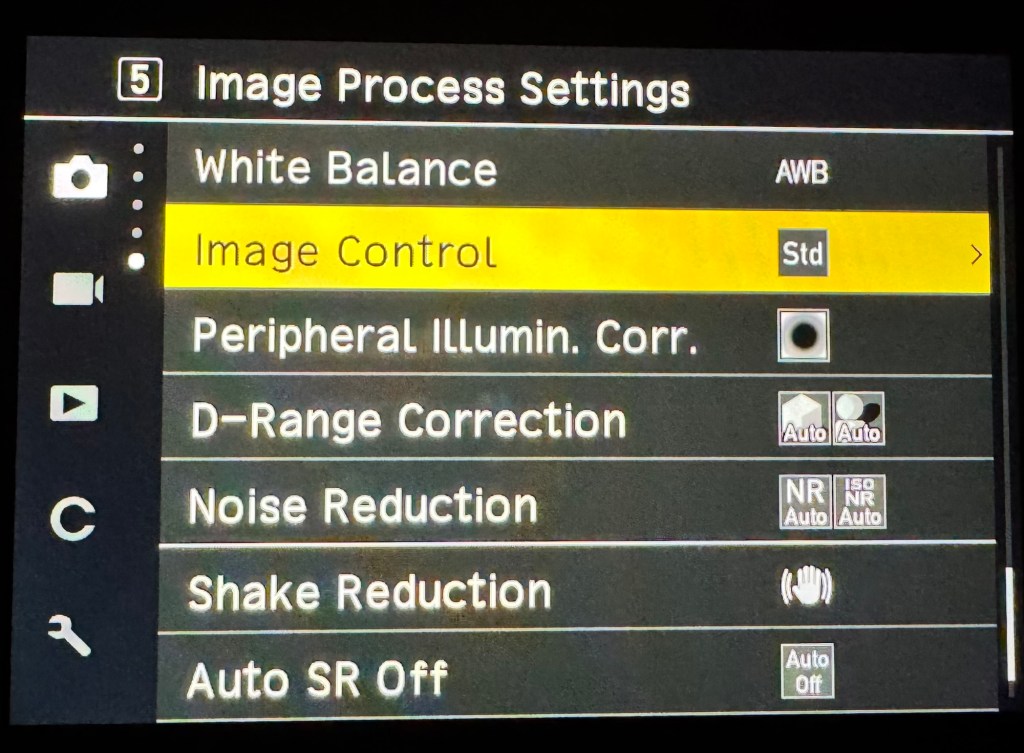
2. ADJ Dial: Press on it.
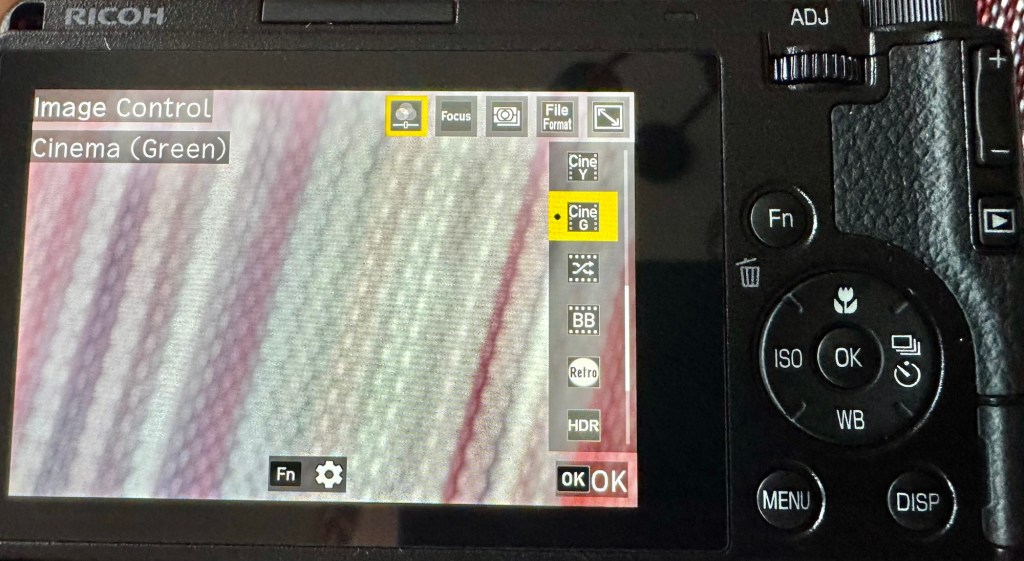
You can change them if you click on the FN button.
Does the JPEG file tell you which recipe you used?
This is a common question on Reddit and Facebook, and the simple answer is no. A JPEG file does not record the recipe you were using. Maybe one day we’ll see that added in an update. I would love to have that information embedded in the photos.
Is Fujifilm better than the Ricoh GR?
No—just different.
Both are great. Fujifilm offers larger cameras with interchangeable lenses. The Ricoh GR is a truly pocket-friendly, minimalist camera. It is designed for everyday carry.
You’ll hear this comparison a lot. It’s not a competition—pick a camera that inspires you.
Where can I find Ricoh recipes?
All Ricoh recipes must be manually entered into the camera.
There are far fewer Ricoh recipe resources than Fujifilm ones, but here are two solid places to start:
- Ricoh Recipe App
- Camset app (Yearly $9 fee; I don’t know who the creator is, and there’s not much information on the about page)
Just like there are cookbooks, there are also recipe collections for Ricoh—just not as many.
How do I add recipes to my Ricoh GR camera?
Setting up your recipe takes practice. Because I’m a visual person. Below I made visual diagram.

I hope this information was helpful. If I missed anything or if something isn’t precise, feel free to reach out and let me know. This was typed by me—mistakes and all.


 Pocket Foto
Leave a comment